moomoo: Investing & Trading
- 4.4
- Rating
- 5.00M
- Installs
- Free
- Price

 Analysis by App-foxy
If you are opening a brokerage app for the first time, the hardest part is often not finding a stock. It is understanding what you are looking at before you make a decision. I spent time with moomoo: Investing & Trading as a finance app and found that its strongest quality is the amount of market information it places around a potential trade. It is free to install, aimed at Everyone, and developed by Moomoo Technologies Inc., but it is not a toy or a simple savings tracker. It is built for people who want to study stocks, options, and market movements more actively.
The app has been available since November 9, 2018, and its scale is easy to see: it has passed five million installs, with a 4.4 average from around fifty-one thousand ratings and about five thousand two hundred written reviews. Those figures suggest a well-established product, although popularity should not be confused with suitability. Trading always involves risk, and an app that makes research easier cannot remove the possibility of losing money.
What to expect before placing your first trade
The first thing I noticed is that moomoo is more interested in giving you a market workspace than in guiding you through a simplified investing lesson. That is useful if you want to compare companies, watch price movement, or build a routine around research. It can feel busy if your idea of investing is simply choosing a fund and checking it occasionally.
You May Also Like

 Blood Strike: 2.5 Anniversary
Blood Strike’s Loadouts Turn Every Drop Into a Tactical Gamble
A close look at Blood Strike’s custom loadouts: how fast access to signature weapons reshapes its battle royale rhythm, rewards preparation, and narrows the gap between fights.

 Pandora - Music & Podcasts
Pandora’s Music Is Easy to Start, but Harder to Recover
Pandora’s strength is its low-effort path from a seed to a station. Its weak spot is how much confidence it asks you to place in connection, setup, and quiet recovery.

 8 Ball Pool
 Is Built on Rivalries, Rematches, and Routine
A close look at the rivalries, rematches, shared routines, and unanswered safety questions that turn a quick pool match into a persistent mobile community.

 Samsung Music
’s Quiet Strength Is Playing What You Already Own
Its reach comes less from spectacle than from dependable access to a personal library. That simplicity is both the app’s strongest retention engine and its ceiling.

 AccuWeather: Weather Radar
AccuWeather Review: A Quick, Clear Forecast for Everyday Decisions
For everyday plans, the best forecast is the one you can understand quickly. AccuWeather makes rain timing, radar, and local conditions easy to act on, with a few trade-offs.

 Hill Climb Racing
Why Hill Climb Racing Still Turns Crashes Into One More Run
A tiny car, a bumpy hill and one more upgrade: Hill Climb Racing keeps resurfacing because its simple chaos makes every near-miss feel personal.
More From Our News Desk



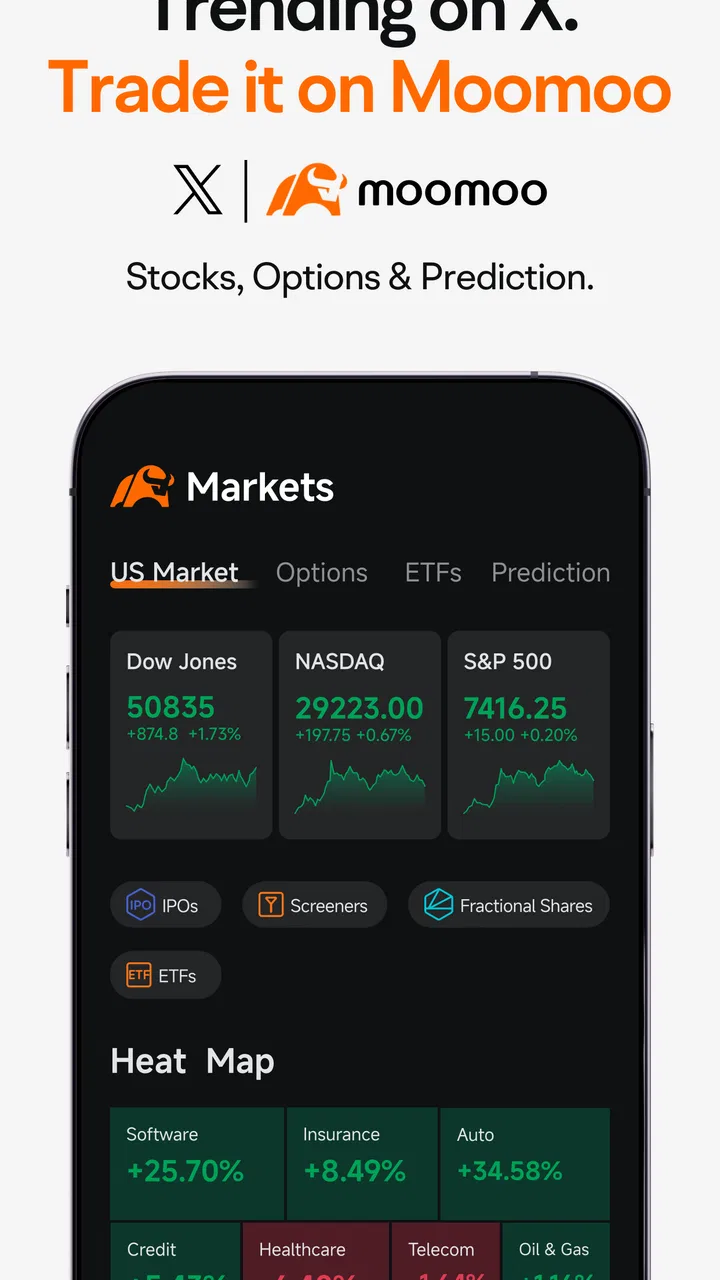
The store summary mentions stocks, options, and prediction, but I would treat the prediction language carefully. A forecast or market signal is not a promise. The practical value comes from using the information to form a question: why is this security moving, what event might explain it, and does the risk fit my plan? The app is most helpful when it supports that process rather than replacing it.
For a first-time user, the important distinction is between watching an opportunity and acting on it. You can use the app as a research companion without immediately becoming an active trader. That is the approach I recommend. Start by learning how a quote page is organized, how a chart changes across time periods, and where order details appear. Only then should you consider whether a real transaction belongs in your routine.
The free price makes trying the basic experience less intimidating, but the app also includes in-app purchases ranging from $0.99 to $399.99 per item. I would not install it assuming every part of the experience has no cost. Before confirming any optional purchase, read the wording on the screen carefully and decide whether it adds something you genuinely need. For many beginners, the most valuable early use is learning the interface and following a shortlist, not buying extras.
Who will appreciate the layout
I think moomoo suits a curious beginner who wants more context than a bank app usually provides. It also makes sense for an investor who already knows basic terms and wants one place to monitor several ideas. The combination of watchlists, market pages, charts, and company information can make research feel more organized than jumping between a financial website, a news app, and a broker.
On the other hand, I would steer away from it if you want a completely hands-off experience. Someone who prefers automated contributions, a simple retirement portfolio, or a minimal balance screen may find the amount of market detail distracting. The same tools that help an engaged user can encourage unnecessary checking and impulsive decisions.
Setting up an account without rushing
After installing the app, I would begin with the slowest possible setup: create the account, review each screen, and avoid treating the onboarding process as a race toward a deposit. A finance app deserves more attention than a casual game because the choices you make can affect access, security, and how you interpret later prompts.
Use a password you do not reuse elsewhere, and protect the device itself with a screen lock. If the app asks you to review account or identity details, enter them carefully rather than relying on memory. A small spelling or address error can become frustrating later when you are trying to complete an important account step.
Once the account area is ready, spend a few minutes identifying the main navigation sections. I found that this simple orientation prevents a common beginner mistake: confusing a market research screen with an order screen. Before adding money, make sure you know where account status, watchlists, quotes, and trading actions live. The goal is not to memorize every icon. It is to know which screen you are on before tapping a button.
The current version is 16.29.26508, and the app supports Android 7.0 or later. That makes it accessible on a broad range of Android devices, though an older phone may make dense charts or multiple panels less comfortable to read. I would keep the app updated through the official store and avoid installing modified versions, especially for anything involving financial information.
Build a small watchlist first
My preferred first setup is a short watchlist rather than a long collection of symbols. Choose a company or fund you already understand, one you are considering researching, and one broad market reference that helps you put daily movement in context. This creates a manageable comparison without turning the screen into a stream of noise.
A small list also makes it easier to notice your own habits. If you keep opening the app to check the same symbol every few minutes, that tells you something about your process. You may need a written reason for following each item and a planned time for reviewing it. This is a surprisingly useful discipline because the app makes market monitoring convenient, while convenience can quietly become overtrading.
Another practical tip is to write down what you expect to learn from each watchlist item. For example, you might want to understand how a company reacts to earnings news or how a particular sector moves compared with the wider market. The list then becomes a research tool, not merely a collection of tempting prices.
Reaching a first meaningful success
Your first success with moomoo does not need to be a profitable trade. For a new user, I would define success as completing a sensible research loop: find a security, read its available information, inspect the chart at more than one time scale, note the risks that matter, and decide whether to keep watching it. That outcome builds a repeatable habit without forcing a financial decision.
Start from the watchlist and open one item. Look at the current quote, then move away from the shortest time frame. A very short chart can make ordinary movement look dramatic. Comparing a recent view with a longer perspective helps you separate a single session’s noise from a broader pattern, although no chart can tell you what will happen next.
Next, read the company or security details instead of relying on the price alone. Ask what you actually know, what remains uncertain, and what event could change your view. If you are exploring options, be especially careful: an option is not simply a cheaper version of owning a stock. Expiration, strike price, volatility, and time all affect the outcome, and a beginner can misunderstand the risk very quickly.
Before using an order screen, check every field slowly. Confirm the security, quantity, order type, and any timing condition shown. I would also pause before the final confirmation and say out loud what the order is intended to do. That sounds excessive, but it is a useful safeguard when an interface presents several choices close together.
A realistic everyday scenario would be checking moomoo during a lunch break after hearing that a company you follow has released important news. Instead of buying immediately, I would open the symbol, compare the current movement with its longer chart, read the relevant information, and add a note about what I still need to verify. If the idea still makes sense later, I can review it with a cooler head. If it does not, I have lost nothing except a few minutes, and I have practiced the exact workflow I will need for future research.
Use the app as a decision journal, not a prediction machine
One of the more valuable ways to use a market app is to record the reason behind a decision before the price gives you an emotional reaction. Write a short note outside the app if necessary: what attracted you, what would prove you wrong, and how much uncertainty you can accept. Then revisit that note later.
This approach turns charts and market commentary into evidence for reflection rather than instructions. It also exposes a common weakness in active investing: people often remember their successful calls and forget the assumptions behind unsuccessful ones. The app can show you what happened to a price, but your own notes explain why you acted.
For someone learning options, this discipline matters even more. A visually attractive return percentage can hide the fact that the position depends on timing and volatility. I would not use the options area as a first experiment unless I could explain the maximum possible loss, the expiration date, and the reason the trade is preferable to simply staying out. If those answers are unclear, the correct next step is more study, not a smaller guess.
Where new users commonly get confused
The biggest source of friction is information density. A page can contain a price, a chart, market movement, news, and an action button, all competing for attention. Beginners may assume that the most visible number is the most important one. It rarely is. The right question is what the number represents and what time period or condition it belongs to.
Another confusing point is the difference between a quote and an investable conclusion. A rising price does not automatically mean a good purchase, and a falling price does not automatically mean a bargain. The app can help you observe movement, but it cannot know your time horizon, emergency needs, tax situation, or tolerance for loss. Those personal factors remain outside the screen.
Options create a separate layer of confusion. New users may see several contracts connected to the same stock and assume the choice is mainly about selecting a price. In reality, the contract’s timing and changing expectations about movement can matter just as much. If the terminology feels compressed or unfamiliar, use the app for observation until you can describe the position in plain language.
Notifications and frequent checking can also distort your judgment. I would keep alerts purposeful rather than reacting to every movement. A useful alert might remind you to review an event or a price level that matters to your written plan. An endless stream of prompts can turn research into reflexive tapping, especially for someone already anxious about missing an opportunity.
There is also a practical comparison with ordinary alternatives. A bank or retirement app is often calmer and better for automatic, long-term saving. A general financial website may be easier for reading broad news without the pressure of a trade button nearby. A dedicated charting tool may suit someone who wants technical analysis above everything else. Moomoo’s advantage is the way it brings active research and trading into one environment; its drawback is that the same proximity can make acting feel too easy.
Know when another approach is better
If your main goal is building a diversified portfolio gradually with minimal decisions, I would first compare this app with a simpler investing service. You may not need detailed market screens, options information, or constant price access. A less stimulating tool can be a better fit if it helps you stick to a long-term plan.
If you are an experienced trader, the decision depends on whether the app’s organization matches your workflow. You may value the research context, but you should still check that the available order process and account tools suit the instruments and habits you actually use. An app can be impressive during exploration and still be the wrong daily workstation.
And if you are looking for guaranteed returns, quick income, or a way to recover money you recently lost, skip this category altogether. No interface can turn uncertain markets into a reliable shortcut. The app is a tool for making informed choices, not a substitute for an emergency fund, professional advice, or a realistic financial plan.
Taking the next step with a controlled routine
After the first research loop, I would not immediately expand into dozens of symbols. Keep the watchlist small, revisit the same screens, and learn how information is arranged. Familiarity is more valuable than speed. When you can open a security and explain what you are seeing without guessing, the app becomes much less intimidating.
A useful weekly routine is to review your watchlist at a set time, remove items that no longer have a clear purpose, and write one sentence about each remaining item. That sentence might describe the business, the event you are watching, or the question you still need to answer. This keeps the app connected to a plan rather than allowing it to become a source of random ideas.
If you decide to place a trade, begin with an amount whose loss would not damage your essential finances. Review the order twice, avoid making the decision during a moment of excitement, and keep a record of the reasoning. The app can make execution quick; your process should deliberately slow down the part that matters most.
I also recommend separating learning goals from money goals. In the first stage, aim to understand quotes, charts, watchlists, and order language. Later, decide whether active trading belongs in your life. This separation protects beginners from judging their knowledge by a single result. A profitable trade can be poorly reasoned, while a careful decision not to trade can be an excellent outcome.
For readers concerned about device compatibility, Android users need version 7.0 or newer. The app carries an Everyone content rating, and its free installation makes initial exploration accessible. Still, remember that optional in-app purchases can reach $399.99 per item, so review any purchase prompt instead of tapping through automatically.
My final view is that moomoo is best approached as a detailed market workbench. I like it for turning a vague interest in a stock into a structured research session, and I think its broad adoption and 4.4 average show that many users find that approach useful. I would recommend it to a beginner who is willing to learn gradually, keep a focused watchlist, and treat predictions as possibilities rather than answers.
I would not recommend making it your first choice if you want investing to disappear into the background. For that person, a simpler long-term investing app may be more comfortable and safer for their habits. But if you want to understand what you are considering before you act, this finance app gives you a practical place to start. The best first win is not a lucky trade; it is making one calm, well-understood decision.
FAQs for moomoo: Investing & Trading
01What is moomoo: Investing & Trading, and who is it designed for?
moomoo: Investing & Trading is a mobile brokerage app that provides access to market research, stock and ETF trading, charting tools, watchlists, alerts, and community discussions. It is aimed at both beginners and more experienced investors, although the number of available products and account features can depend on your country, eligibility, and the local moomoo entity operating the service.
02Can I trade stocks and ETFs for free with moomoo?
moomoo commonly advertises commission-free trading on eligible U.S.-listed stocks and ETFs, but “commission-free” does not mean every transaction is completely free. Regulatory, exchange, settlement, currency-conversion, or other applicable charges may still apply. Fees and supported markets can change, so review the current pricing schedule in the app and confirm the details for your region before placing an order.
03Is moomoo suitable for beginners who have never invested before?
The app is reasonably accessible for new investors because it includes educational content, market news, basic explanations, paper trading in supported regions, and guided account features. However, its interface also contains advanced charts, technical indicators, options information, and real-time market data that may feel overwhelming at first. Beginners should learn the risks and start carefully rather than treating the app as financial advice.
04What investments and trading features are available in moomoo?
Depending on your location and account approval, moomoo may support trading in stocks, ETFs, options, and other market products, along with watchlists, price alerts, financial data, analyst information, customizable charts, and simulated trading. Availability is not identical worldwide, and some products require additional permissions or risk assessments. Check the instruments shown in your local version before downloading with a specific strategy in mind.
05Is my money safe in a moomoo account, and what risks should I know about?
Moomoo accounts are generally provided through regulated brokerage entities, and eligible customer assets may receive protection under the relevant local investor-protection scheme. This protection does not prevent investment losses, guarantee profits, or remove market risk. Trading options, leveraged products, or volatile shares can result in significant losses. Verify the legal entity, protections, and account terms that apply in your country before depositing funds.
Pros
- Real-time quotes help you monitor stocks and ETFs during market hours.
- Paper trading lets beginners practice strategies without risking real money.
- Advanced charts include technical indicators for detailed market analysis.
- Watchlists and price alerts make it easier to track selected securities.
- Educational content can help users understand investing and trading concepts.
Cons
- Some market data and advanced features may require a paid subscription.
- The interface can feel overwhelming for beginners due to its many tools.
- Trading involves significant risk
- especially when using margin or options.
- Availability of products and features varies by country and account type.
- Customer support response times may be slower during busy market periods.

moomoo: Investing & Trading
Gallery